Terminal offer checker
Got a terminal offer? Pick the skin and type the price to see right away whether to take it or decline.
Which terminal do you have?
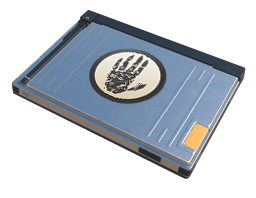

Which skin is on offer?
Blue skins drop most often, so they come first.
Offers are paid with Steam Wallet funds, so we compare with Steam Market prices in USD.
How we decide
Take it when reselling on Steam (minus the 15% fee) brings more than you paid and more than your next offers are likely worth, or the skin is at least 5% below the Steam Market.
Fair price when the difference from the market is up to 5%. Take it if you like the skin.
Decline when you would overpay, or the profit is smaller than what your next offers are likely worth.
What a Sealed Dead Hand Terminal can offer
Collection: The Dead Hand Collection
Valve's published case odds. Valve has not confirmed them for terminals.
Terminal questions
How does a CS2 terminal work?
A terminal opens without a key and shows one skin from its collection with a price. You can buy it with Steam Wallet funds or decline and see the next offer. There are usually 5 offers, sometimes 6. Buying or declining the last offer uses up the terminal.
Why compare with the Steam Market price?
Offers are paid from your Steam Wallet, and that money can only be spent on Steam. The fair comparison is what the same skin costs, or sells for, on the Steam Market.
Should I take the last offer?
Not always. Declining the last offer means you get nothing, but that is better than overpaying. Take it if the verdict is Take it or Fair price and you like the skin.


